
作者: otibby 時間: 2019-7-6 16:37 標題: desktop linux 同android app fuse 左未?
提示: 作者被禁止或刪除 內容自動屏蔽
作者: daemongmong 時間: 2019-7-7 16:06
沒有,起碼主流Linux distro不可以。
via HKEPC Reader for Android
作者: gdh 時間: 2019-7-7 19:50
好多方法得㗎, anbox ( https://anbox.io/ )
What makes Anbox different from other projects like Shashlik or Genimobile?
Projects like Shashlik or Genimobile use an emulator to run the Android environment. The emulator creates an entire emulated system which has its own kernel etc whereas
 Anbox runs the Android system under the same kernel as the host operating system does. No emulation layer like QEMU is necessary. Everything runs directly on the hardware. This approach also allows a much better integration with the host operating system...
 係虛擬系統行都得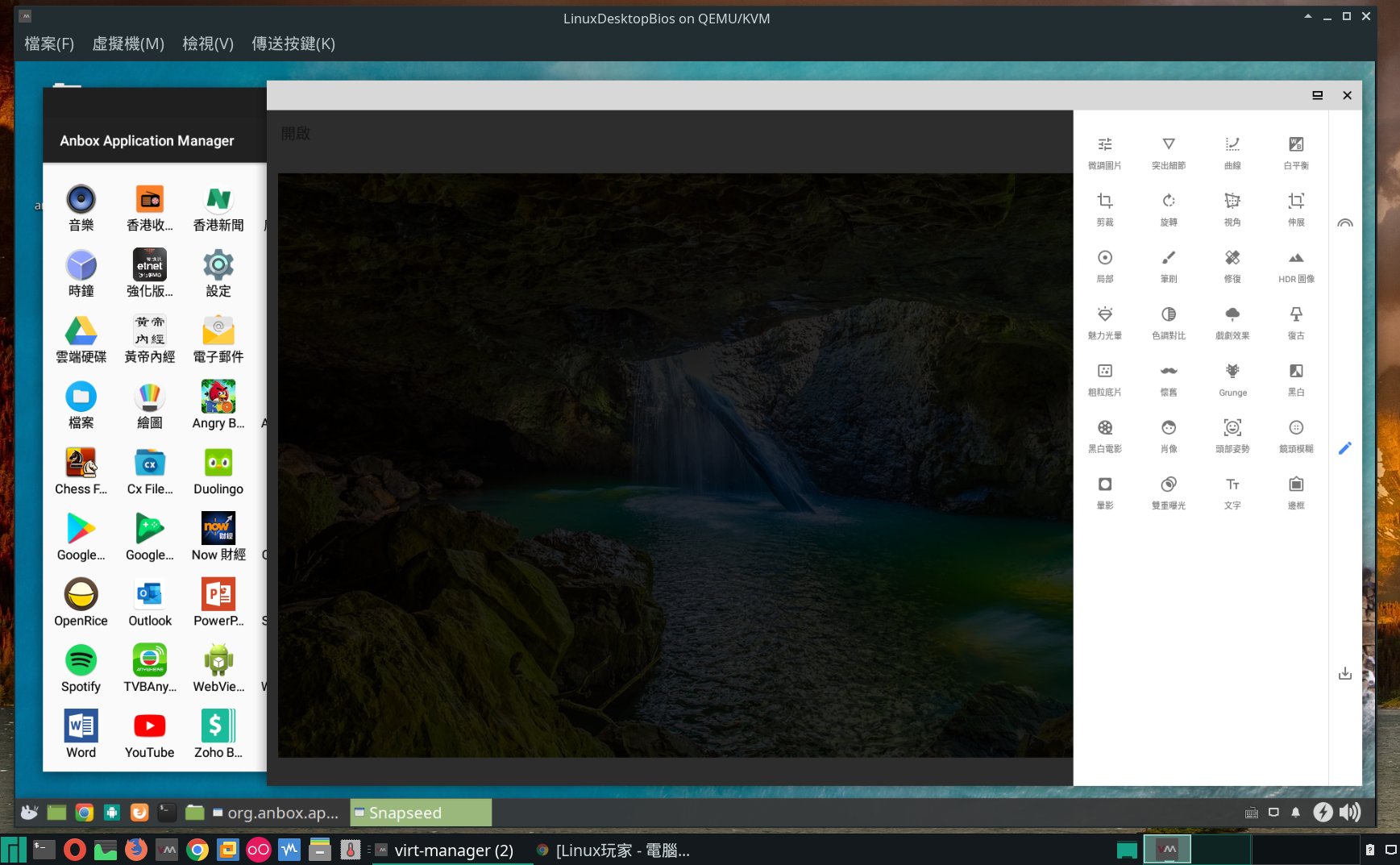
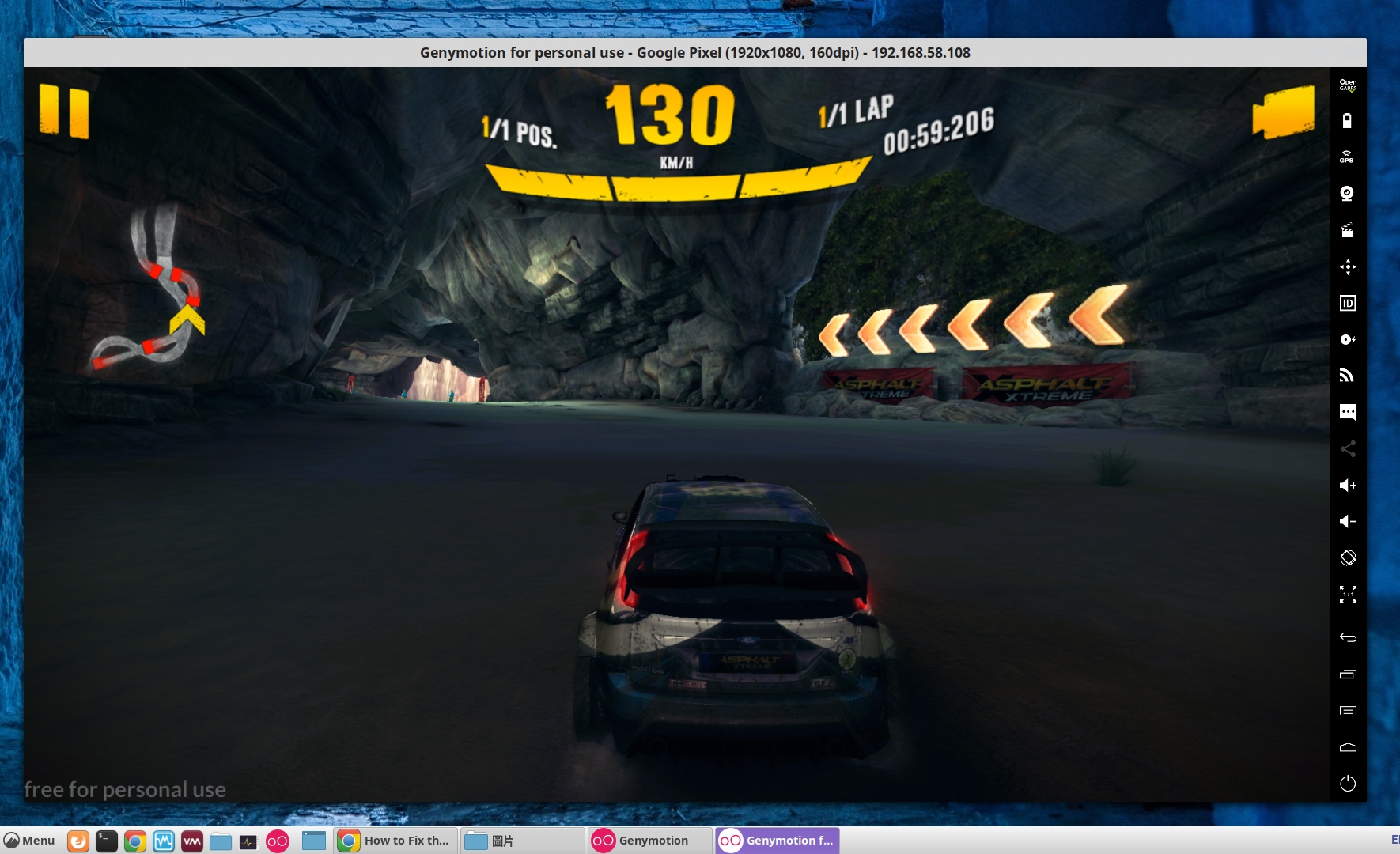
如果想玩啲快game, 最好都係要有好些小graphic card, 行support host openGL direct access嘅emulator
作者: otibby 時間: 2019-7-7 20:17
提示: 作者被禁止或刪除 內容自動屏蔽
作者: chue 時間: 2019-7-8 04:00
本帖最後由 chue 於 2019-7-8 06:51 編輯
ANBOX 唔係咁易攪,都係等下一個類似軟件
但見張圖有 GOOGLE,請問你點樣整?可否分享一下?
作者: gdh 時間: 2019-7-8 12:49
回覆 5# chue
anbox基本安裝(snap)之後仲要enable arm support (等於其它emulator要加arm translator code)同networking, 網上有個google playstore安裝script已經包咗arm support
Ubuntu/Linux Mint...
1. https://ebblr.com/how-to-install-anbox-on-ubuntu-18-04/
2. https://www.linuxuprising.com/20 ... gle-play-store.html
arch/manjaro
https://forum.manjaro.org/t/runn ... h-using-anbox/53332
作者: chue 時間: 2019-7-8 20:47
本帖最後由 chue 於 2019-7-8 20:50 編輯
回覆 chue
anbox基本安裝(snap)之後仲要enable arm support (等於其它emulator要加arm translator code) ...
gdh 發表於 2019-7-8 12:49

都唔易整,請問可否分享 下 CHING 既個人做法?
有時間既話會再做,同埋都希望有更多選擇,百花齊放互相競爭進步
作者: chue 時間: 2019-7-9 10:38
剛剛測試左 LINDROID,可惜運作唔得,難怪冇人提起過,但仍希望能有後續發展有人接左個源碼又寫得更好
作者: gdh 時間: 2019-7-13 20:11
都唔易整,請問可否分享 下 CHING 既個人做法?
有時間既話會再做,同埋都希望有更多選擇,百花齊放互相競爭 ...
chue 發表於 2019-7-8 20:47
今日再跟ubuntu嗰二條link裝都仲得, 只係因為邊下載邊裝所以需時較長
- 1 sudo apt install snapd
- 2 sudo reboot
- 3 sudo add-apt-repository ppa:morphis/anbox-support
- 4 sudo apt update
- 5 sudo apt install anbox-modules-dkms
- 6 sudo modprobe ashmem_linux
- 7 sudo modprobe binder_linux
- 8 sudo apt install android-tools-adb android-tools-fastboot
- 9 snap install --devmode --beta anbox
- 10 reboot
- 11 sudo apt install wget lzip unzip squashfs-tools
- 12 wget https://raw.githubusercontent.com/geeks-r-us/anbox-playstore-installer/master/install-playstore.sh
- 13 chmod +x install-playstore.sh
- 14 sudo ./install-playstore.sh
- 15 reboot
- 16 sudo /snap/anbox/current/bin/anbox-bridge.sh start
作者: bbsen 時間: 2019-7-13 20:42
回覆 9# gdh
嘩! 感謝師兄!
試試先!
作者: bbsen 時間: 2019-7-14 00:46
本帖最後由 bbsen 於 2019-7-14 10:38 編輯
回覆 9# gdh
ops, MX linux support。
作者: chue 時間: 2019-7-14 08:53
今日再跟ubuntu嗰二條link裝都仲得, 只係因為邊下載邊裝所以需時較長跟住係setting>application畀全部per ...
gdh 發表於 2019-7-13 20:11
GOOD,稍後照做
作者: gdh 時間: 2019-7-14 20:21
回覆 11# bbsen
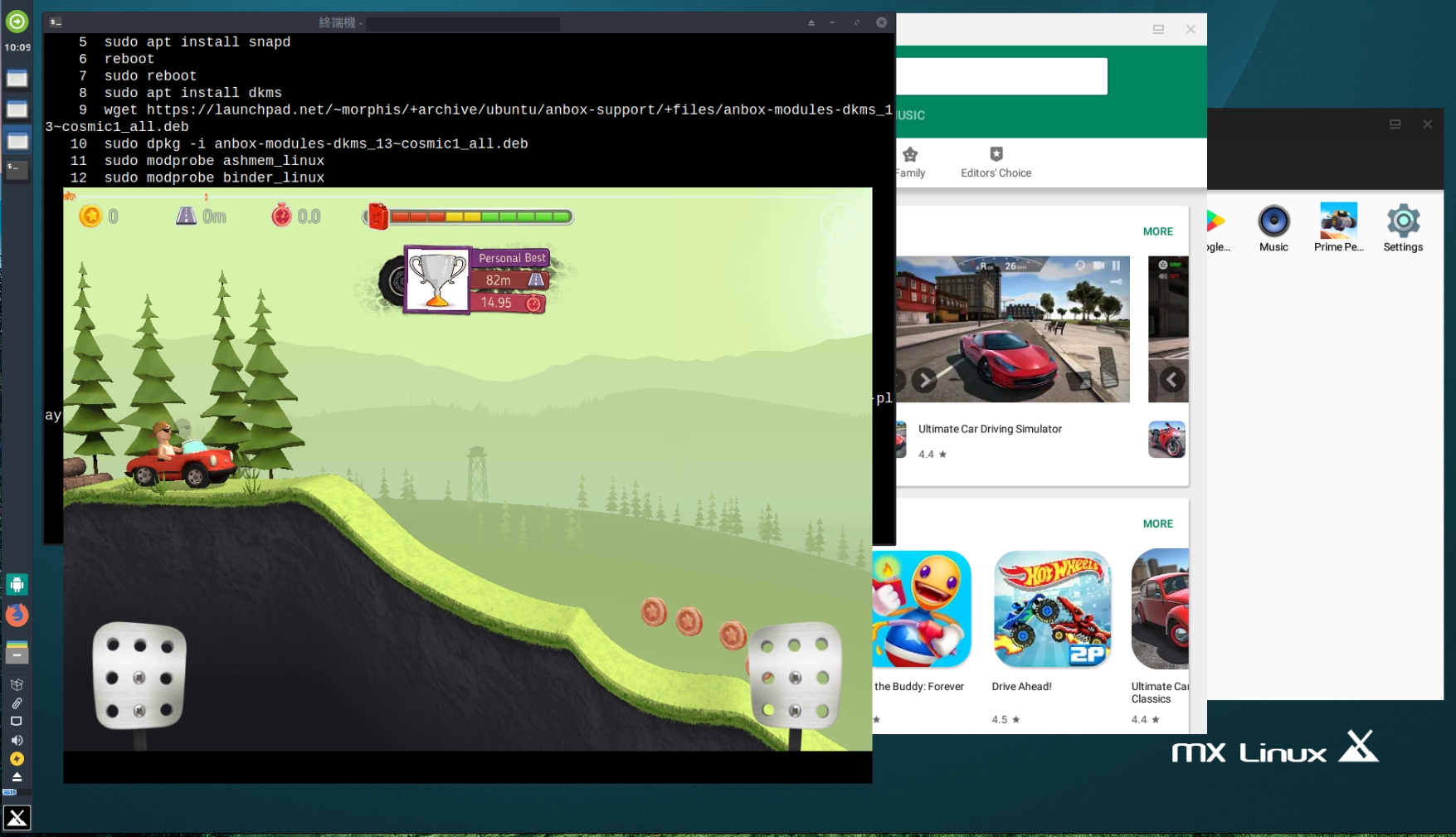
個方法係畀ubuntu, Debian唔用得ppa, 要先入去download個啱用嘅.deb文件自己裝

for MX linux 183, 上面嗰list指令3, 4, 5句要改做
-
- sudo apt install dkms
- wget https://launchpad.net/~morphis/+archive/ubuntu/anbox-support/+files/anbox-modules-dkms_13~cosmic1_all.deb
- sudo dpkg -i anbox-modules-dkms_13~cosmic1_all.deb
作者: bbsen 時間: 2019-7-14 20:57
回覆 13# gdh
感謝師兄!!!! 再研究吓!
作者: chue 時間: 2019-7-15 02:00
回覆 bbsen
個方法係畀ubuntu, Debian唔用得ppa, 要先入去download個啱用嘅.deb文件自己裝
for MX ...
gdh 發表於 2019-7-14 20:21
又得,我都唔排除會裝 MX LINUX
作者: chue 時間: 2019-7-15 02:01
可惜 ANBOX 只得 DEB,非 DEB 就未諗到方法
作者: chue 時間: 2019-7-31 16:00
回覆 13# gdh
最近發覺 MANJARO 都已有 ANBOX,,請問 ARCH 又如何好似 UBUNTU 咁加入 GOOGLE 服務?
作者: gdh 時間: 2019-8-1 13:46
本帖最後由 gdh 於 2019-8-1 20:36 編輯
回覆 17# chue
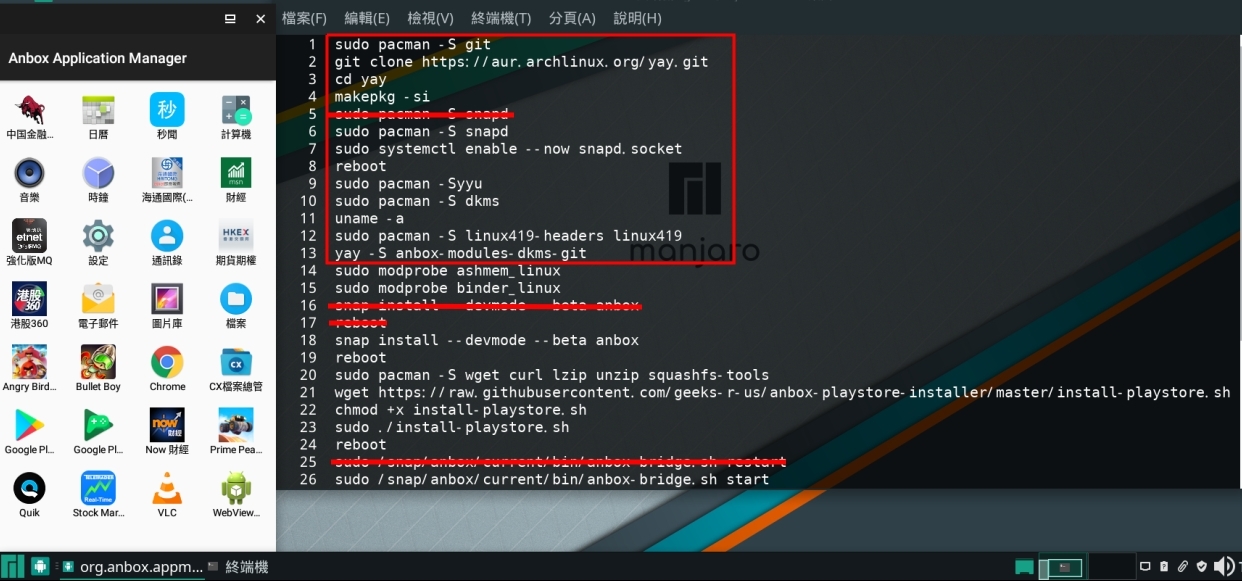
上面條link去manjaro forum有一個修改咗畀arch用嘅方法, 但可能已經out咗, 都係跟返snap去做可靠, 其實每個distro經snap裝嗰部份係一樣, 包括google store
要先裝好anbox所需kernel modules, 係manjaro就要裝 : dkms / linux???-headers linux??? / anbox-modules-dkms-git
https://forum.manjaro.org/t/runn ... h-using-anbox/53332
(今日block咗code quoting
 )
)
作者: chue 時間: 2019-8-4 11:15
本帖最後由 chue 於 2019-8-4 11:16 編輯
今日研究做個 BLISS OS VIRTUALBOX VM 出來但一直唔成功,暫未知原因,而我 VIRTUALBOX 係 WIN 版,WIN 係 WIN10,先利申,做個理由係一 VDI,全數 LINUX DISTRO 只要能開 VDI 就基本通行,唔駛煩次次裝一個都要攪一輪 ANBOX 之類,但可惜 GOOGLE 教學並唔多,而且一直未有成功過,要再跟進
作者: chue 時間: 2019-8-5 10:32
本帖最後由 chue 於 2019-8-5 10:34 編輯
響未有明顯較 FIT 使用既 ANBOX LIKE 套件前,想以 VDI 幫手運行,可惜上日 BLLISE 係失敗左,找來 REMIX OS 既 VDI 又未如理想,就諗一諗裝 ANDROID X86 VM 暫且解決一下,再觀察後續發展,當然都會搵現成 VDI 用住先既
呢個教學教埋裝 GAPPS,未試,未知 WORK 唔 WORK
https://www.youtube.com/watch?v=ux9vb18eoAE
作者: chue 時間: 2019-8-5 20:30
本帖最後由 chue 於 2019-8-5 20:42 編輯
今晚得閒開返部 32 BIT XFCE 版既 LINUX MINT 19.1,冇大 UPGRADE 因為 NETBOOK 機能有限,如非必要都係唔好亂升,剩升基本 UPDATE 即可
買左放大鏡後可以 SET 返 1024 解析度,之後就當然照大大介紹個網 STEP BY STEP 咁裝,預過程會出錯,到時又要麻煩一下高人大大指點一下啦
UPDATE LINUX MINT 好似出錯,睇黎部 NETBOOK 未能兼容到較近年 DISTRO,即使已針對咁安裝 32BIT 版,呢個計劃要 CLOSE,但研究兼容 ANDROID 則維持不奱因為我可以唔只一部腦